GA4 vs Shopify: Why the Sales Numbers Don't Match
GA4 almost always shows fewer purchases and less revenue than Shopify. The eight usual reasons, how to tell normal gaps from broken tracking, and which number to use.
On this page
GA4 and Shopify count sales in different ways, so they rarely match. Shopify records every order on its own servers. GA4 only records a purchase if a tracking tag fires in the buyer's browser, the buyer allows it, and nothing blocks it. Time zones, currencies, refunds and edits widen the gap. A steady gap is normal; a sudden change means tracking broke. For revenue, Shopify is the source of truth.
Key takeaways
- Shopify counts orders server-side; GA4 counts purchase events from the browser, so GA4 is usually lower.
- Consent banners, ad blockers and browser privacy features stop some GA4 events from ever arriving.
- Time zone, currency and refund handling differences make daily numbers drift apart.
- Know your normal gap, and investigate when it suddenly changes.
- Use Shopify for revenue and orders; use GA4 for behaviour, funnels and traffic sources.
How each one counts a sale
Shopify creates an order when checkout completes. Every order is there, whatever the buyer's browser does. Edits, cancellations and refunds update the order later.
GA4 records a purchase event when a tag on the thank-you page or checkout sends it, typically through the Google & YouTube app or a custom pixel. If the event never leaves the browser, GA4 never knows the order happened. GA4 doesn't change past purchase events when an order is edited or refunded unless refund events are sent.
That difference explains most of the gap.
The usual reasons for the gap
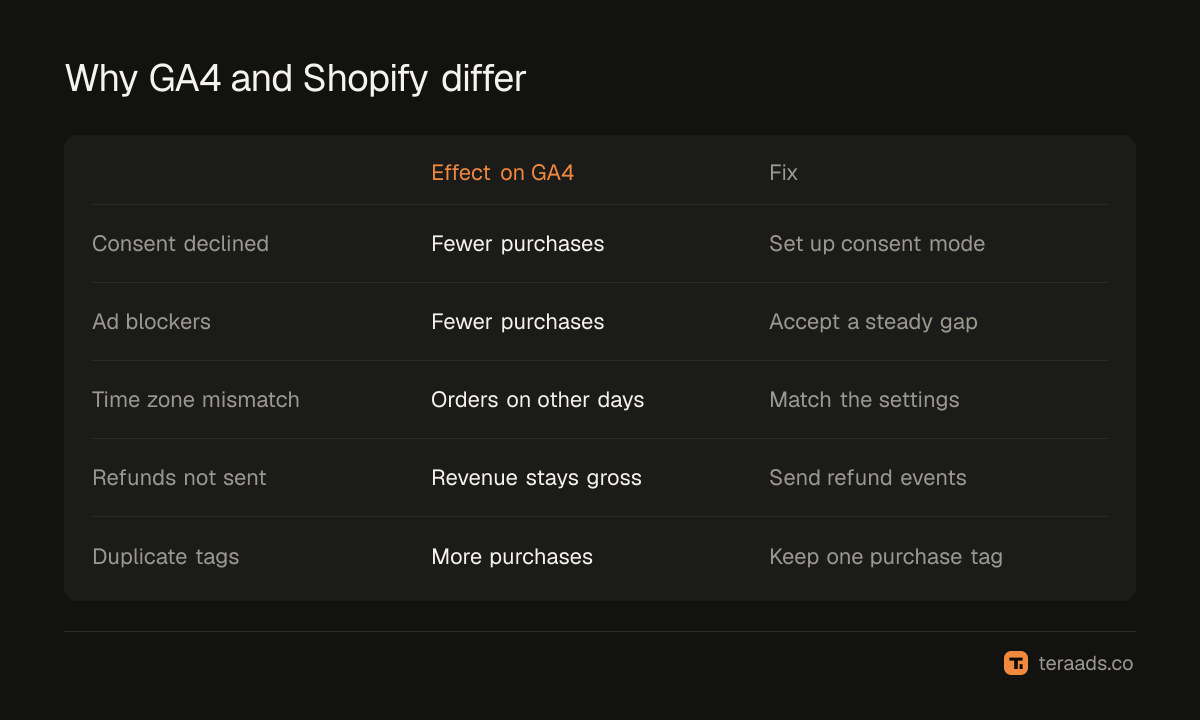
| Reason | Effect on GA4 | Normal or broken? |
|---|---|---|
| Consent declined | Purchases from buyers who decline may be missing or modelled | Normal |
| Ad blockers and browser privacy | Tag requests blocked | Normal |
| Buyer closes the page before the tag fires | Purchase never sent | Normal, small |
| Different time zone settings | Orders land on different days | Fixable setting |
| Different currency settings | Revenue converted differently | Fixable setting |
| Refunds and cancellations | GA4 keeps the original revenue | Normal unless refunds are sent |
| Duplicate tags | GA4 counts more purchases than Shopify | Broken |
| Missing tag after a checkout or app change | GA4 drops suddenly | Broken |
Normal gap or broken tracking?
Compare GA4 purchases with Shopify orders, by week, for a few months. Most stores settle into a steady ratio. What matters is change:
- A steady gap means tracking works and the difference comes from consent, blockers and timing.
- A sudden drop in GA4 usually means a tag stopped firing after a theme, app or checkout change.
- GA4 above Shopify almost always means duplicate purchase events, often from two apps or a manual tag plus an app sending the same purchase.
- A growing gap can mean more buyers declining consent, or slow drift in tracking setup.
How to narrow the gap
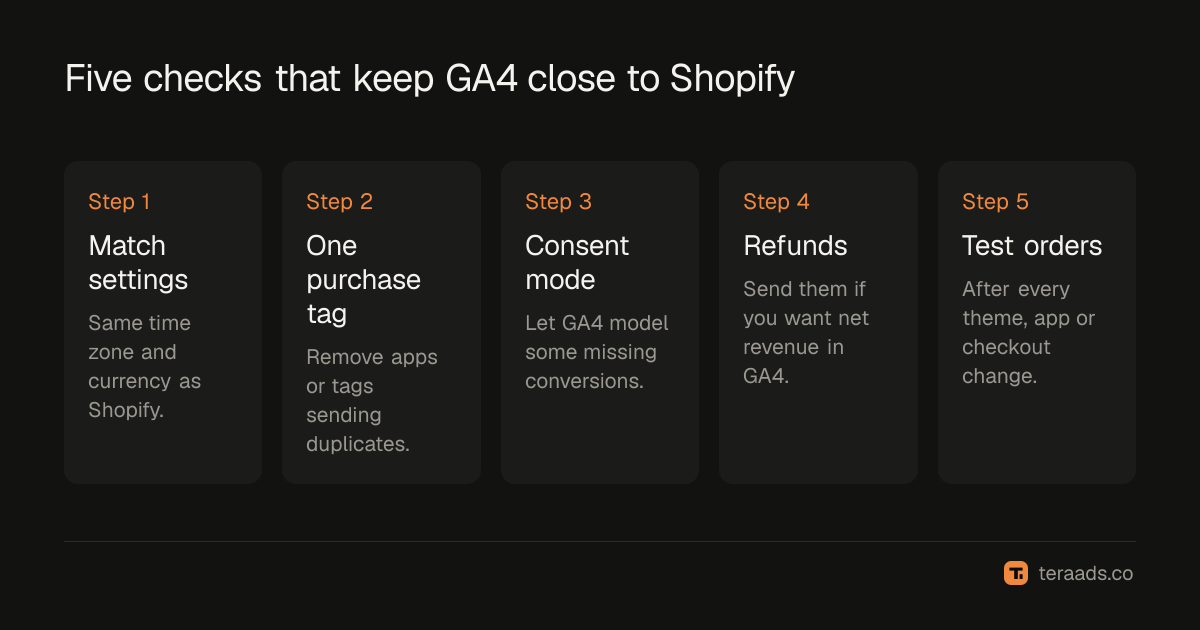
- Match the settings. Set GA4's reporting time zone and currency to the same values as Shopify.
- Use one purchase tag. Remove duplicates; one source of purchase events, ideally Shopify's Google & YouTube app or a single custom pixel.
- Check consent mode. If you use a consent banner, make sure consent mode is set up so GA4 can model some missing conversions.
- Send refunds if you care about net revenue in GA4. Otherwise accept that GA4 shows gross.
- Test after every change. Place a test order after theme, app or checkout updates, and confirm the purchase appears in GA4's real-time view.
Which number to use for what
| Question | Use |
|---|---|
| How much did we sell? | Shopify |
| Which pages lose visitors before checkout? | GA4 |
| Which traffic source brings engaged visitors? | GA4 |
| Which campaign brought the order? | Shopify orders with UTM parameters |
| Are ads profitable overall? | Shopify revenue against total ad spend (MER) |
UTMs make Shopify the place to see campaigns against real orders; the UTM guide has the setup. Meta's numbers disagree with Shopify for related reasons, covered in Meta Ads vs Shopify sales. For the overall question of whether ads pay, MER vs ROAS uses Shopify revenue and total spend, which avoids attribution gaps altogether.
How Shopify's checkout affects GA4
Shopify's checkout runs on Shopify's own pages, and tracking there works through Shopify's customer events and web pixels rather than scripts you add to the theme. That's why older setups that relied on scripts in the order status page can stop sending purchases after a checkout upgrade. If GA4 purchases dropped around the time your store moved to the newer checkout, check that your purchase tag comes from the Google & YouTube app or a custom pixel in Customer events, and that only one of them sends purchases.
A monthly reconciliation
Once a month, take a settled month and compare:
- Orders. Shopify orders, excluding cancelled and test orders, against GA4 purchases.
- Revenue. Shopify net sales against GA4 purchase revenue, in the same currency.
- The ratio. GA4 as a percentage of Shopify, for orders and for revenue.
- The trend. This month's ratio against the last three.
Write the ratio down. When someone asks why the numbers differ, you can say what the normal gap is and whether this month is normal.
When the gap is a real problem
Act quickly if GA4 purchases fall by more than your normal week-to-week wobble for two weeks running, if GA4 suddenly exceeds Shopify, or if one traffic source loses purchases while the others hold steady. Each of these usually points to a tag change, a duplicate or a broken redirect, not to buyers behaving differently. Check the most recent theme, app and checkout changes first, then place a test order.
Tera Ads uses Shopify orders as the truth for sales and puts Meta Ads and Google Ads spend beside them, with every campaign from both platforms in one table. It is free for one business.
Frequently asked questions
Why does GA4 show fewer purchases than Shopify?
Because GA4 depends on a tag firing in the buyer's browser. Consent choices, ad blockers, privacy features and closed pages stop some purchase events. Shopify records every order on its servers.
Why does GA4 show more purchases than Shopify?
Almost always duplicate tracking: two apps or tags sending the same purchase. Check your installed apps and custom pixels and keep only one purchase source.
What is a normal gap between GA4 and Shopify?
It varies by store, audience and consent setup. Measure your own ratio over a few months; a stable ratio is fine, a sudden change needs investigating.
Should I use GA4 revenue for ROAS?
No. Use Shopify revenue for revenue and profit. GA4 is better for behaviour, funnels and comparing traffic sources.
Do time zones really matter?
Yes, for daily numbers. If GA4 and Shopify use different time zones, orders near midnight fall on different days. Weekly and monthly totals are less affected.