Google Ads Conversion Tracking on Shopify: Set It Up Once, Correctly
Google's bidding learns from tracked purchases. How to set up Google Ads conversions on Shopify, avoid double counting, and check values match your orders.
On this page
Google Ads bidding learns from the conversions you track, so purchase tracking has to count each Shopify order once, with the right value. The simplest setup is the Google & YouTube app for Shopify, which creates a purchase conversion with order values and supports enhanced conversions. Make purchase the only primary conversion action, remove duplicate tags from the theme or other apps, and compare Google's conversion count with Shopify orders every month.
Key takeaways
- Google's automated bidding optimises toward whatever you mark as primary conversions.
- Use one purchase conversion action with order value; avoid several tags counting the same order.
- Enhanced conversions send hashed customer data to improve matching.
- Mark add-to-cart and similar actions as secondary, so they're reported but not optimised for.
- Check monthly that conversions and values roughly track Shopify orders.
Why accurate tracking matters
Performance Max, Shopping and Search campaigns with value-based bidding all learn from conversion data. If a purchase is counted twice, Google thinks the campaign is twice as good and spends more. If purchases are missed, it pulls back from what works. If values are wrong, target ROAS bidding aims at the wrong number. Clean tracking is the base for everything in the Performance Max guide and target ROAS bidding.
The setup, step by step
- Install or open the Google & YouTube app in Shopify and connect your Google account, Merchant Center and Google Ads account.
- Turn on conversion tracking in the app. It creates purchase and other conversion actions in Google Ads using Shopify's customer events.
- Turn on enhanced conversions where offered, so hashed customer details improve matching.
- Set purchase as primary. In Google Ads conversion settings, keep the app's purchase action as the primary conversion for your sales goal; set add-to-cart, begin checkout and page views as secondary.
- Remove duplicates. Delete older Google Ads tags pasted into the theme or checkout scripts, and check that GA4-imported purchases aren't also primary.
- Place a test order and confirm one purchase conversion with the right value appears in Google Ads (allow a few hours).
Primary and secondary conversion actions
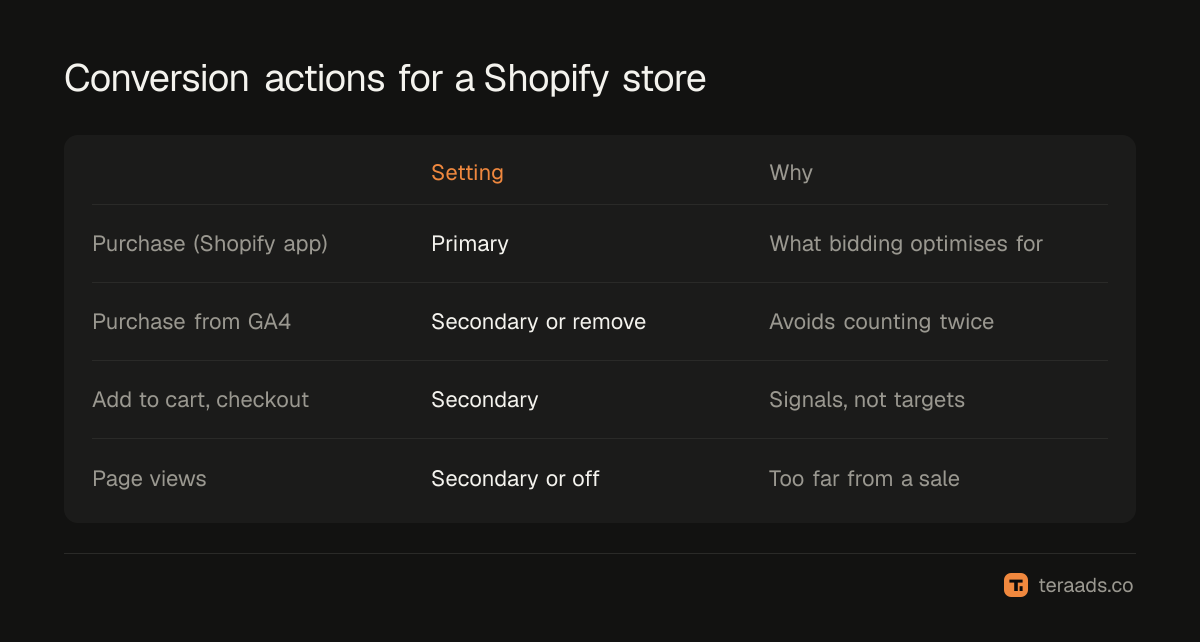
| Action | Setting | Why |
|---|---|---|
| Purchase (from the Shopify app) | Primary | What bidding should optimise toward |
| Purchase imported from GA4 | Secondary, or remove | Avoid counting the same order twice |
| Add to cart, begin checkout | Secondary | Useful signals to watch, not to bid on |
| Page views, engagement | Secondary or off | Too far from a sale |
Checking that it's right
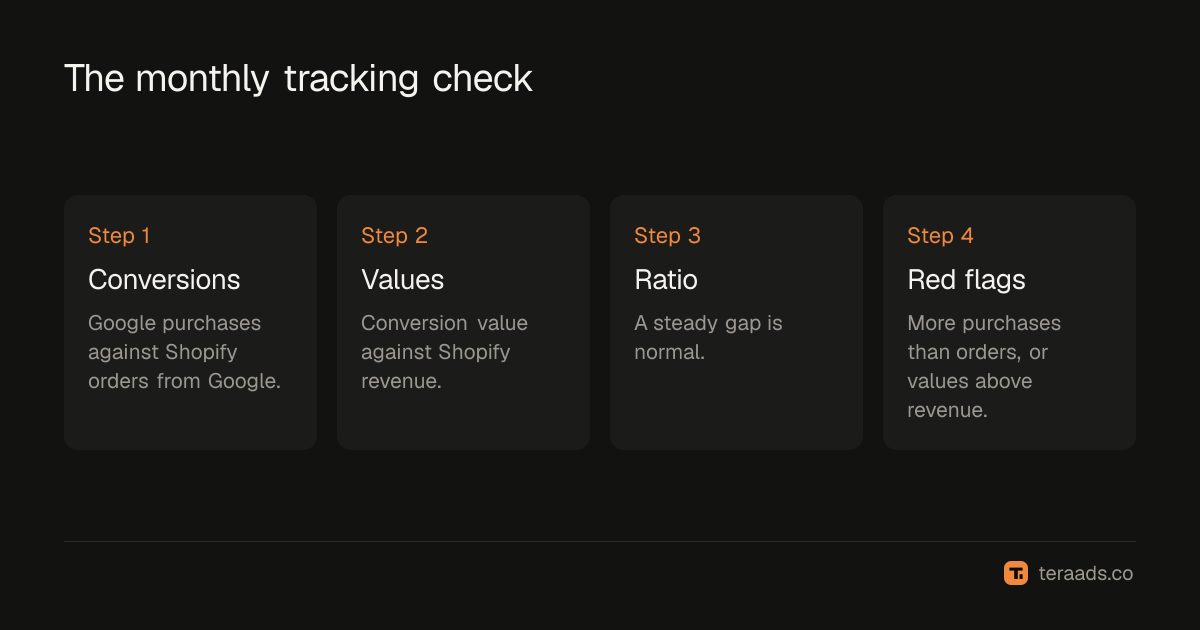
Once a month, compare a settled period:
- Conversions: Google Ads purchase conversions (by conversion time) against Shopify orders from Google, using UTM-tagged orders where possible.
- Values: Google's conversion value against Shopify revenue from those orders.
- Ratio: expect Google to differ somewhat, because of attribution and consent, but the gap should be steady.
Red flags: Google reporting more purchases than Shopify has orders from Google; values far above revenue; a sudden drop after a theme or app change. The reasons GA4 and Shopify differ, in GA4 vs Shopify, apply here too.
Values: revenue or profit?
By default the app sends order revenue. That's fine for most brands. Some advanced setups send profit (revenue minus product cost) as the conversion value, so value-based bidding chases profit rather than revenue. It's powerful but needs accurate costs and makes Google's ROAS figures harder to compare with the past. Start with revenue; consider profit values once tracking is stable.
Cash on delivery and returns
Google counts a purchase when the order is placed. COD orders that are later refused still count, so Google's conversion value overstates what you keep. You can upload adjustments or retractions for cancelled orders, but most brands simply judge campaigns on kept Shopify orders and use Google's numbers for relative comparisons between campaigns.
When the numbers change suddenly
Tracking changes rarely announce themselves. A sudden drop in Google Ads conversions with no matching drop in Shopify orders usually means tracking broke: a theme update removed a tag, an app was uninstalled, a checkout change stopped events firing, or consent settings changed. A sudden rise without more orders usually means duplication: a new app or tag started counting purchases alongside the existing one.
When you see a sudden change, check in this order. First, compare daily Shopify orders with Google conversions for the same days to confirm the gap is real. Second, look at the conversion action's status in Google Ads, which shows whether it's recording conversions and when it last did. Third, check which conversion actions are primary, in case a new one was added. Fourth, list recent theme, app and checkout changes and when they happened. Finally, place a test order.
Google's bidding reacts to what it's told. If purchases go missing for a week, campaigns pull back; if they double, campaigns overspend. Fixing tracking quickly matters more than almost any other optimisation, so make a weekly comparison of orders and conversions part of your routine.
Common mistakes
Two purchase actions as primary. For example, the app's purchase plus a GA4 import, doubling conversions.
Old theme tags left behind. Legacy scripts keep firing after the app is installed.
Counting every conversion instead of one. For purchases, Google's "every" counting is correct (each order counts); for leads it would be "one". Check the setting matches the action.
Wrong currency. Values must be in the store's currency.
Never testing after changes. Theme, checkout and app updates can break tracking silently.
Tera Ads includes a Google Ads deep dive that lists wasted search terms, disapproved Shopping products and a scaling plan, and shows every Meta Ads and Google Ads campaign in one table with profit worked out from your Shopify orders. It is free for one business.
Frequently asked questions
How do I track Google Ads conversions on Shopify?
Use the Google & YouTube app for Shopify, turn on conversion tracking and enhanced conversions, and make its purchase action the primary conversion in Google Ads.
Why does Google Ads show more conversions than Shopify orders?
Usually duplicate tracking: more than one purchase action set as primary, or old tags firing alongside the app. Keep one primary purchase action.
What are enhanced conversions?
A Google Ads feature that sends hashed customer data, such as email, with conversions to improve how accurately they're matched to ad clicks.
Should I import GA4 purchases into Google Ads?
You can, but don't make them primary if the Shopify app already tracks purchases, or every order counts twice.
Should conversion value be revenue or profit?
Revenue is the simple default. Profit values make bidding chase profit, but need accurate product costs and careful setup.