Google Merchant Center Feed Attributes: What to Fill In and Why
Which Merchant Center product attributes are required, which ones quietly limit your Shopping and Performance Max reach, and how to fix a Shopify feed.
On this page
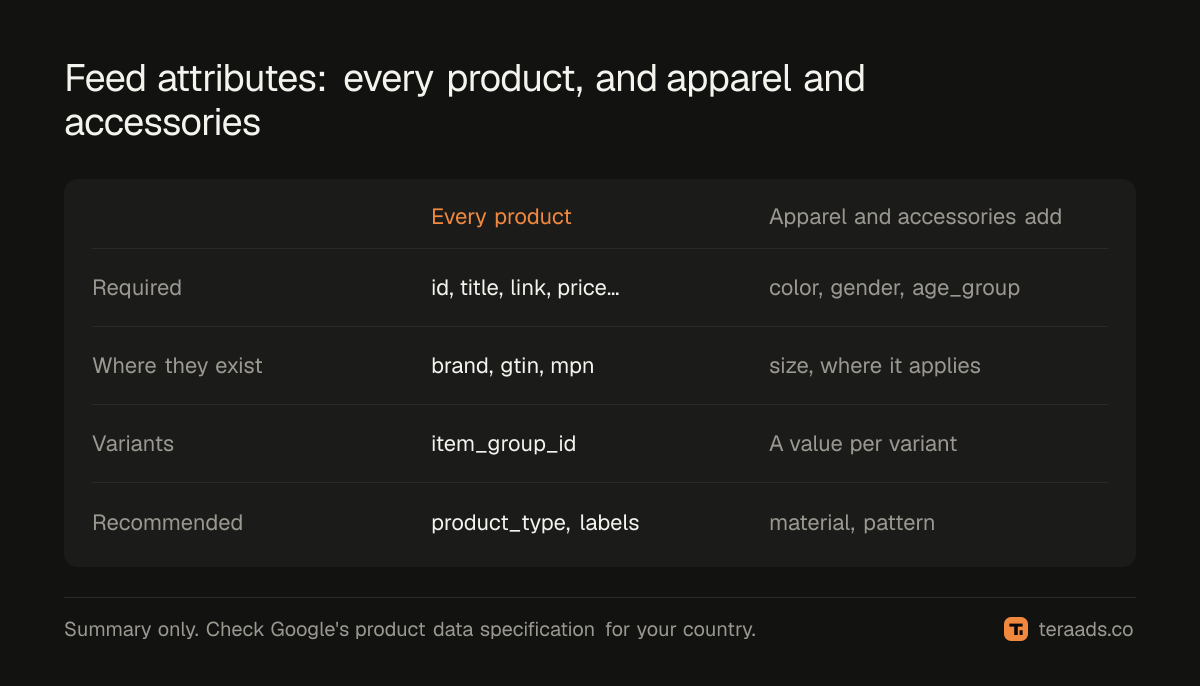
Your Merchant Center feed is the ad for Shopping and most of Performance Max: Google uses its titles, images, prices and attributes to decide which searches you appear for. A few attributes are required for every product, more are required for some categories (apparel and accessories need colour, gender and age group, for example), and the rest are optional but shape reach. A clean, complete feed is often the cheapest way to grow Google sales.
Key takeaways
- Every product needs the basics: id, title, description, link, image link, availability and price, plus brand and identifiers where they exist.
- Apparel and accessories (including jewellery) need extra attributes such as colour, gender and age group; missing values can stop products showing.
- Titles do the targeting: put what the product is and its key attribute first.
- Fix the feed before you raise a Performance Max budget; a starved campaign is usually a feed problem.
- Check Merchant Center's diagnostics weekly, because Shopify edits can break attributes silently.
Why the feed matters more than the ad copy
On Shopping placements there is no headline to write. Google builds the ad from your feed: the product title, the image, the price and the store name. It matches products to searches mainly from the title, description, category and attributes. A product titled "Aurora" tells Google almost nothing; "Aurora sterling silver hoop earrings for women, 20 mm" tells it what searches to enter.
Performance Max uses the same feed for its Shopping placements, so a weak feed weakens the whole campaign, as covered in the Performance Max guide.
The attributes, by importance
Google's product data specification is the authority. In practice they fall into three groups:
| Group | Attributes | What happens if missing or wrong |
|---|---|---|
| Required for all products | id, title, description, link, image_link, availability, price | Product is disapproved and can't show |
| Required where they exist | brand, gtin, mpn, condition (for used items) | Limited performance or disapproval |
| Required for some categories | color, gender, age_group, size (apparel and accessories) | Product may not show until filled |
| Required for variants | item_group_id | Variants treated as separate, unrelated products |
| Optional but useful | product_type, google_product_category, material, pattern, sale_price, additional_image_link, custom_label_0–4, product_highlight | Weaker matching, less control, plainer ads |
Google's help on missing apparel values (missing value: size, color, gender, age group) explains that offers in these categories can stay hidden until the values are filled. Requirements vary by country, so check the live guidance for the country you sell in.
How to fix a Shopify feed, step by step
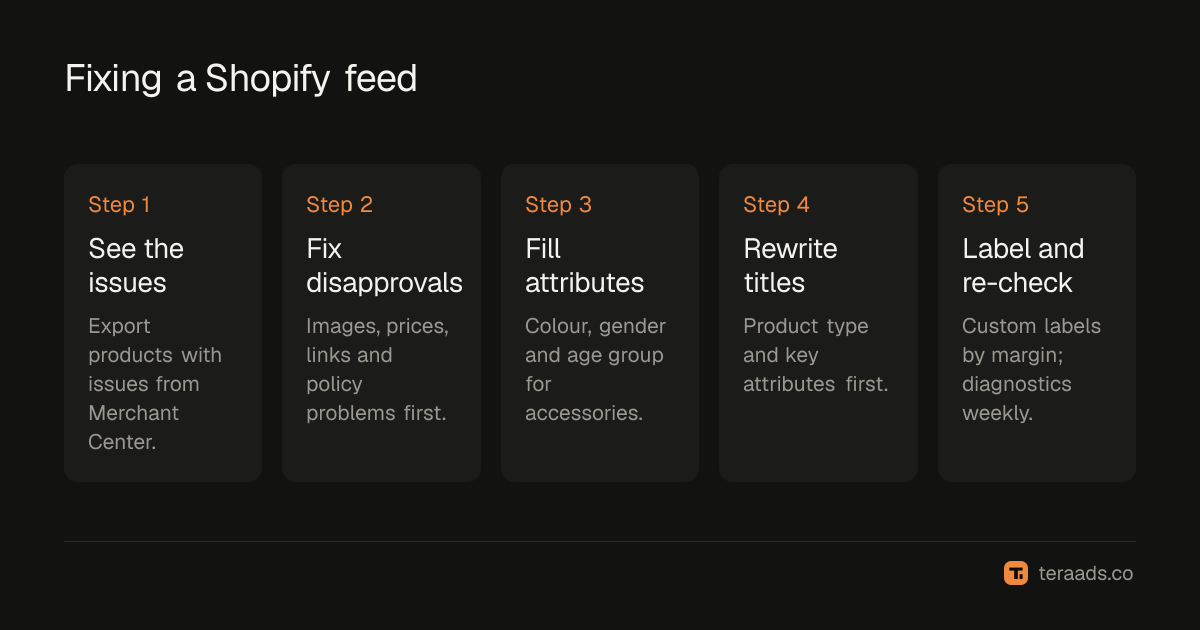
The whole job, in order:
- See what Google sees. Export the products with issues from Merchant Center.
- Fix disapprovals. Images, prices, links and policy problems first.
- Fill category attributes. Colour, gender and age group for apparel and accessories.
- Rewrite the top titles. Product type and key attributes first.
- Add custom labels. Group products by margin, season or performance.
- Re-check weekly. Catch attributes that Shopify edits quietly remove.
1. See what Google sees
In Merchant Center, open the product list and the diagnostics or product issues view (product status help). Export products with issues, and sort by number of affected products.
2. Fix disapprovals first
Anything disapproved earns nothing. Missing images, wrong prices, broken links and policy issues come first. The disapproved products guide walks through the common causes.
3. Fill the category-required attributes
For jewellery and other accessories, set colour, gender and age group on every product. In Shopify, the Google & YouTube app maps product category and metafields to these attributes; many brands set them with product metafields or a feed app. For jewellery, colour is usually the metal colour or main stone colour, age group is usually adult, and gender is female, male or unisex.
4. Rewrite the top titles
Start with the products that get the most impressions or sales. A reliable pattern is: product type + key attribute + material or colour + size or variant. Put the words people search for in the first 70 or so characters, because longer titles are often cut.
5. Add custom labels
Custom labels let you group products by your own rules: margin band, best-seller, seasonal, clearance. They make it easy to split Performance Max asset groups or campaigns by profit.
6. Re-check every week
Product edits in Shopify, new launches and app updates can quietly remove attributes. A five-minute weekly look at diagnostics catches problems before they cost a month of sales.
Titles: a quick before and after
| Before | After |
|---|---|
| Aurora | Aurora sterling silver hoop earrings for women, 20 mm |
| Classic Tee | Men's cotton crew-neck T-shirt, navy, regular fit |
| Gift Box Set | Rose gold plated jewellery gift set for women, necklace and earrings |
Better titles also make the search terms you pay for more relevant, which means fewer wasted clicks. The wasted search terms guide covers the other side of that.
What not to do
- Don't stuff keywords or add promotional text such as "free shipping" or "best price" to titles; that breaks Google's policies.
- Don't use placeholder images or images with watermarks and promotional overlays.
- Don't let prices drift between the site and the feed; mismatches cause disapprovals.
- Don't fill attributes with guesses just to clear a warning; wrong values put products in front of the wrong searches.
Tera Ads includes a Google Ads deep dive that lists disapproved Shopping products next to wasted search terms and a scaling plan, and shows every Meta Ads and Google Ads campaign in one table with profit worked out from your Shopify orders. It is free for one business.
Frequently asked questions
Which Merchant Center attributes are required?
For all products: id, title, description, link, image_link, availability and price, plus brand and identifiers such as GTIN where they exist. Some categories, such as apparel and accessories, need more, including colour, gender and age group.
Is jewellery treated as apparel in Merchant Center?
Jewellery sits under Apparel & Accessories in Google's product taxonomy, so the apparel attribute rules can apply. Fill colour, gender and age group to be safe, and check diagnostics for your country.
How long should a Google Shopping title be?
Titles can be up to 150 characters, but put the most important words in roughly the first 70, because longer titles are often cut in ads.
Do I need a GTIN for my own brand's products?
If your products have GTINs, submit them. Products you make yourself often don't have one; in that case set brand and mpn where you can, and tell Google the identifier doesn't exist if that applies.
Why do my products show as eligible but get no impressions?
Usually weak titles, a narrow category match, low bids or a tight ROAS target. Improve the titles and attributes on your top products first, then review campaign targets.