Meta Ads Kill Rules: When to Turn Off an Ad, Based on Your Margins
Kill rules decide when a Meta ad or ad set has spent enough without results. How to set them from your break-even cost per order, and how to automate them safely.
On this page
A kill rule is a pre-agreed limit that turns off an ad or ad set when it has spent enough to prove it won't hit your target, such as spending twice your break-even cost per order without a purchase. Rules based on your own margins stop slow losses that hide in averages, and they take emotion out of the decision. Set them from break-even cost per kept order, give new ads enough spend first, and use Meta's automated rules to apply the simple ones.
Key takeaways
- Base rules on break-even cost per order after RTO, not on a number from someone else's account.
- Give every new ad a minimum spend before any rule applies.
- Use a few clear rules: no purchase after a spend limit, cost per purchase well above break-even over several days, and fatigue signals.
- Meta's automated rules can turn off ads, notify you or change budgets when all the conditions you set are met.
- Review automated actions weekly; rules can't see RTO or Shopify orders.
Start from break-even
Your break-even cost per order is the profit per order before ads, after product, shipping, fees and expected RTO. If an order earns ₹600 before ads, you break even at ₹600 per order. Break-even ROAS shows the same idea as a ROAS figure.
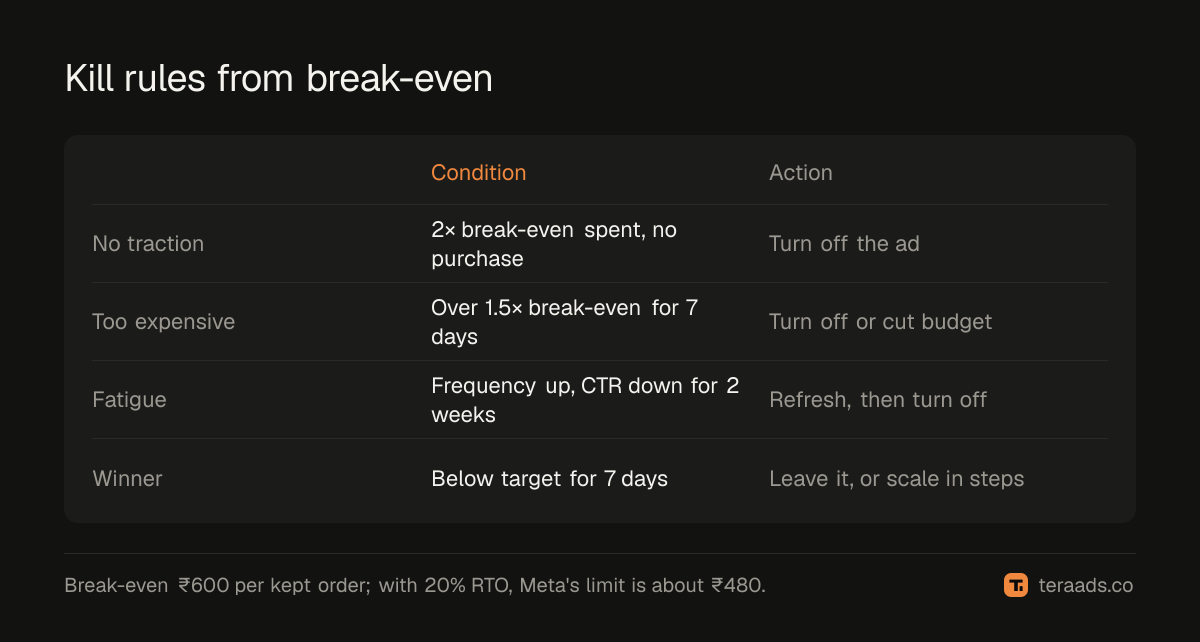
Because Meta reports purchases before refusals, adjust for RTO: if 20% of orders are refused, Meta's cost per purchase must be about 20% lower than your break-even on kept orders. In this example, Meta's cost per purchase should stay below about ₹480.
A simple set of rules
| Rule | Condition | Action |
|---|---|---|
| No traction | Spent 2× break-even with no purchase | Turn off the ad |
| Too expensive | Cost per purchase above 1.5× break-even over 7 days, with enough spend | Turn off or reduce budget |
| Fatigue | Frequency rising and CTR falling for 2 weeks | Refresh creative, then turn off |
| Winner protection | Cost per purchase below target over 7 days | Leave it alone, or scale in steps |
Setting them up, step by step
- Calculate break-even cost per kept order and convert it to a Meta cost per purchase using your RTO rate.
- Set the minimum spend before any rule applies, such as one times break-even, so new ads get a fair chance.
- Choose the windows. Short windows react to noise; seven days smooths daily swings.
- Write the rules down with the numbers, so everyone applies them the same way.
- Automate the simple ones in Ads Manager.
- Check weekly what the rules turned off and whether those ads' Shopify orders agree.
Automating in Ads Manager
Meta's automated rules check your campaigns, ad sets or ads against conditions you choose and act when they're met. According to Meta's help pages, actions include turning items off or on, sending a notification only and adjusting budgets, and when a rule has several conditions, all of them must be met before it acts.
Good candidates for automation:
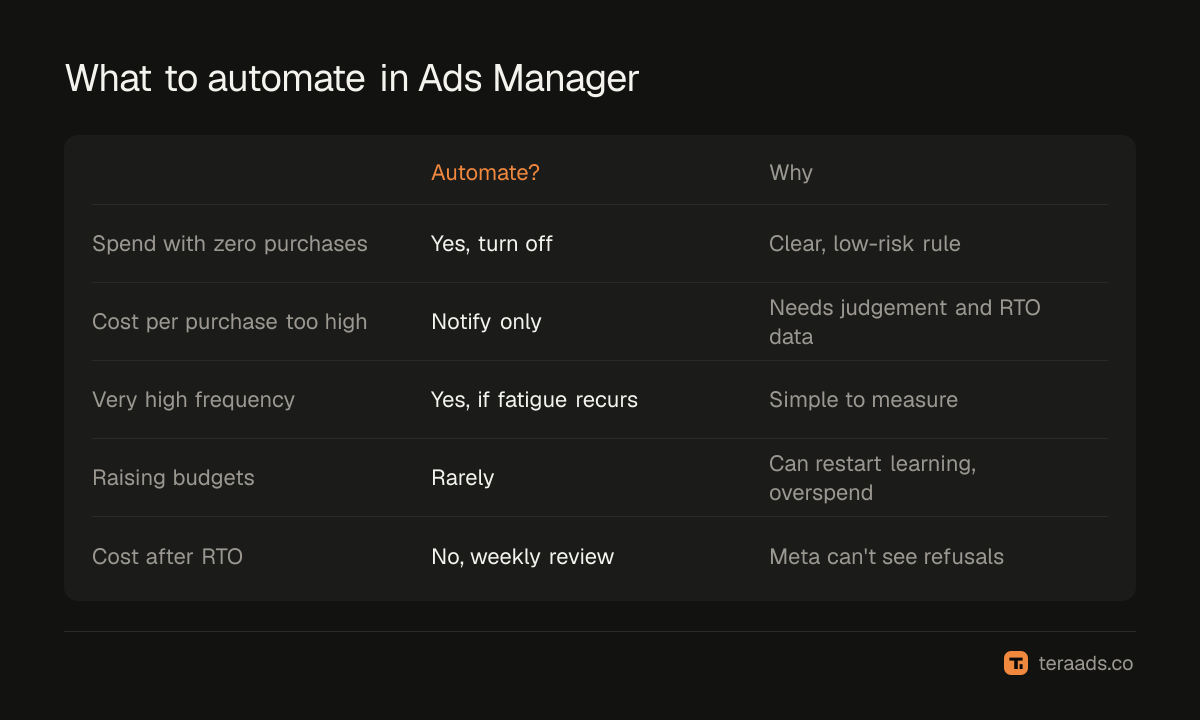
- Turn off ads with spend above a limit and zero purchases over the last few days.
- Notify you when cost per purchase passes a limit, rather than acting automatically, for ad sets you want to review yourself.
- Turn off ad sets with very high frequency if fatigue is a recurring problem; see Meta ads frequency.
Keep budget-raising rules cautious. Automatic increases can restart learning and scale ads past the point of profit.
What rules can't see
Automated rules use Meta's numbers. They don't know which orders were refused, which customers would have bought anyway or what Google ads did for the same buyers. Once a week, compare each campaign's Meta cost per purchase with its cost per kept order from Shopify and your courier. If a campaign looks fine in Meta but loses money after RTO, tighten its limit; find wasted ad spend covers the full check.
A worked example
Using the break-even above (₹600 per kept order, 20% RTO, so a Meta cost per purchase limit of about ₹480), here's how three ads fare after a week:
- Ad A spent ₹1,250 with no purchases. That's past 2× the ₹600 break-even, so the no-traction rule turns it off.
- Ad B spent ₹1,500 for 3 purchases, ₹500 each. It's above ₹480 but well below the 1.5× limit of ₹900, so it keeps running while you watch for more data.
- Ad C spent ₹2,400 for 6 purchases, ₹400 each. On Meta's numbers it's the best of the three.
Now check Shopify and the courier. Ad C's orders came mostly from COD buyers in high-refusal pincodes, and 35% were refused. At 35% RTO, the limit isn't ₹480; it's ₹600 × 0.65, or ₹390. Ad C's ₹400 per purchase means each kept order costs about ₹615, a small loss on every sale.
No automated rule would catch that, because Meta doesn't know about the refusals. This is why the weekly comparison matters: rules handle the obvious cases at speed, and the weekly check catches the ones that only look good. For ads like C, the fix isn't always to turn them off. Order confirmation, a prepaid incentive or excluding the worst pincodes can bring RTO down until the ad clears the limit again.
Common mistakes
Killing too early. One day without a purchase isn't evidence.
Borrowed limits. Another brand's target cost per purchase has nothing to do with your margins.
Ignoring RTO. Meta's cost per purchase looks better than cost per kept order.
Automating everything. Notifications are safer than automatic budget changes.
Never reviewing the rules. Margins, prices and RTO change; so should the limits.
Tera Ads shows every Meta Ads and Google Ads campaign with profit after returns from Shopify orders and RTO from Shiprocket, which is the number kill rules should ultimately protect. It is free for one business.
Frequently asked questions
When should I turn off a Meta ad?
When it has spent about two times your break-even cost per purchase without a sale, or stays well above break-even over a week with enough spend.
What is a kill rule?
A pre-agreed limit for turning off an ad or ad set, based on spend and results compared with your break-even.
Can Meta turn off ads automatically?
Yes. Automated rules in Ads Manager can turn off ads, notify you or change budgets when all of your conditions are met.
Should kill rules include RTO?
Yes. Convert break-even on kept orders into a Meta cost per purchase using your RTO rate.
How long should I wait before judging a new ad?
Until it has spent at least about one times your break-even cost per purchase, and ideally a few days.