Negative Keywords for Shopify Stores: A Starter List and How to Use It
Negative keywords stop Google ads showing on searches that never buy. A starter list for online stores, how negative match types work, and how to grow it.
On this page
Negative keywords tell Google not to show your ads on searches containing certain words, so you stop paying for clicks that never buy. Every store needs a starter list (free, jobs, DIY, wholesale, second-hand and similar), plus words specific to its products, built from the search terms report. Keep it in a shared list applied to Search, Shopping and Performance Max campaigns, and add to it every week.
Key takeaways
- Start with a universal list of non-buying intents: free, jobs, how to, DIY, wholesale, used, repair.
- Add product-specific negatives from your own search terms report every week.
- Negative keywords don't match close variants, so add plurals and common misspellings yourself.
- Use a shared list so every campaign stays clean, including Performance Max.
- Don't block searches that sell; check conversions before adding a term.
Why negatives matter
Broad and phrase match keywords, Shopping and Performance Max all match your ads to searches you never chose. Some of those searches have no buying intent at all: people looking for free downloads, jobs, repair guides or wholesale suppliers. Each click costs money. Negative keywords stop the ads appearing on those searches. The wasted search terms guide shows how to find them in your account.
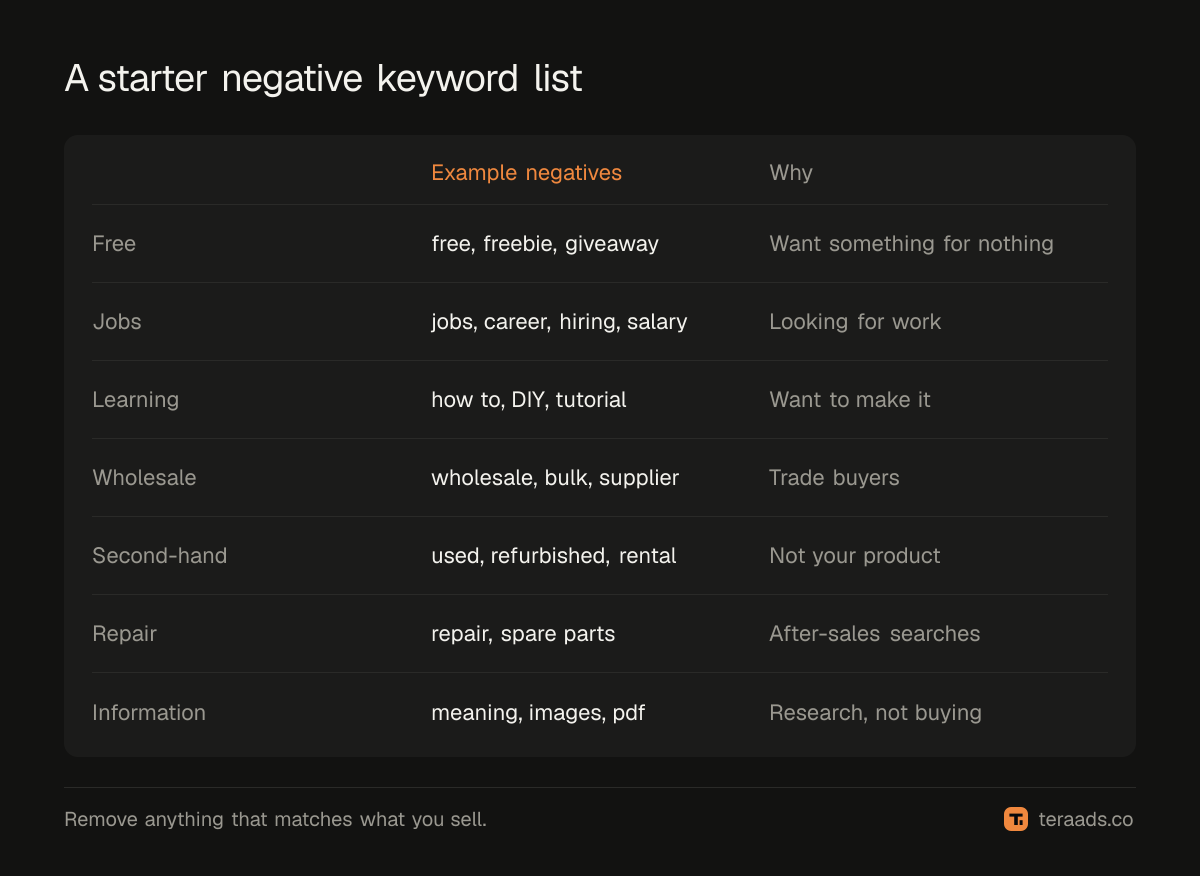
A starter list for online stores
| Intent | Example negatives | Why |
|---|---|---|
| Free and cheap | free, freebie, giveaway, sample | Want something for nothing |
| Jobs | job, jobs, career, hiring, salary, vacancy | Looking for work, not products |
| Learning | how to, DIY, tutorial, course, pattern | Want to make it themselves |
| Wholesale | wholesale, bulk, supplier, manufacturer, distributor | Trade buyers, not retail |
| Second-hand | used, second hand, refurbished, rental | Not your product (unless you sell it) |
| Repair and parts | repair, fix, spare parts, service centre | After-sales searches |
| Information | meaning, wikipedia, images, pdf, drawing | Research, not buying |
Check each word against your catalogue. A jewellery brand that sells repair kits shouldn't block "repair"; one that sells sample packs shouldn't block "sample".
How negative match types differ
Negative keywords behave differently from normal keywords. In particular, they don't automatically match close variants such as plurals and misspellings, so you need to add those yourself.
| Negative match type | Blocks searches that… | Example: negative "silver polish" |
|---|---|---|
| Negative broad | Contain all the words, in any order | Blocks "polish for silver jewellery" |
| Negative phrase | Contain the words in that order | Blocks "best silver polish cloth", not "polish silver" |
| Negative exact | Are exactly that phrase | Blocks only "silver polish" |
Use single-word negative broad keywords for clear non-buying words ("free", "jobs"), and phrase or exact negatives when a word is only bad in a specific combination.
Building the list, step by step
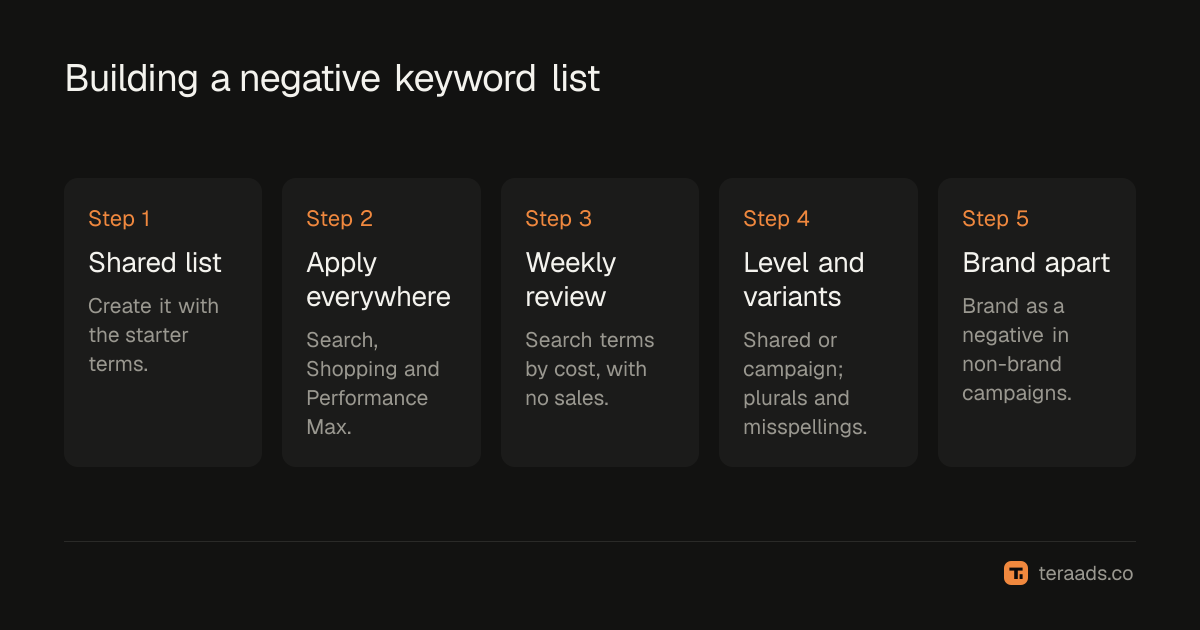
- Create a shared negative keyword list in Google Ads (Tools, Shared library) and add the starter terms.
- Apply it to every Search and Shopping campaign. For Performance Max, add campaign-level negatives or apply the shared list where your account supports it; see the Performance Max guide.
- Review search terms weekly. Sort by cost; for each term with spend and no sales, decide whether it's irrelevant.
- Add negatives at the right level. Words that are bad everywhere go in the shared list; terms only wrong for one campaign go on that campaign.
- Add variants. Plurals, misspellings and spacing variations of each negative.
- Keep brand separate. Add your brand as a negative in non-brand campaigns so brand searches go to a brand campaign; see brand vs non-brand search.
Don't block searches that sell
Before adding a term, check its conversions over a meaningful period, not just the last week. Some odd-looking searches convert well. And avoid negatives so broad that they block good traffic: a negative broad "cheap" might block "cheap gold earrings" searches that actually buy from a budget brand. Judge on orders that were kept, not just clicks, if you take cash on delivery.
Negatives for Shopping and Performance Max
Shopping and Performance Max campaigns have no keywords, but they still match your products to searches, and those searches can be just as irrelevant. For Shopping, add negatives at campaign or ad group level as you would for Search. For Performance Max, the search terms insights report shows the themes your ads appeared for, and campaign-level negative keywords keep it off searches you don't want. Brand exclusions are a separate setting that stops Performance Max claiming your own brand searches.
A good routine is to look at Shopping and Performance Max search terms alongside Search each week. Product feeds influence matching too: vague product titles invite vague searches. Clear titles with the product type, material and key attributes help Google match better in the first place, so you need fewer negatives. The Shopping titles guide explains how to write them.
Keep a simple log of the negatives you add and why. When conversions drop after a big update, the log makes it easy to spot which addition might have blocked good traffic, and to reverse it.
Common mistakes
Only adding negatives once. New irrelevant searches appear constantly; review weekly.
Forgetting Performance Max. It matches broadly and needs negatives too.
Ignoring variants. Negatives don't cover plurals and misspellings automatically.
Over-blocking. Broad negatives on common words can cut good traffic. Use phrase or exact when in doubt.
Not checking conflicts. A negative that matches one of your own keywords stops that keyword from showing. Google Ads flags these conflicts; fix them.
Tera Ads includes a Google Ads deep dive that lists wasted search terms, disapproved Shopping products and a scaling plan, and shows every Meta Ads and Google Ads campaign in one table with profit worked out from your Shopify orders. It is free for one business.
Frequently asked questions
What are negative keywords in Google Ads?
Words or phrases that stop your ads showing on searches that contain them, so you don't pay for irrelevant clicks.
Do negative keywords work in Performance Max?
Yes. Campaign-level negatives are available for Performance Max and apply to Search and Shopping inventory.
Do negative keywords match plurals and misspellings?
No. Unlike normal keywords, negatives don't match close variants automatically, so add plurals and common misspellings yourself.
How often should I add negative keywords?
Weekly for active accounts. Review the search terms report sorted by cost and add negatives for irrelevant terms with spend.
Should I use a shared negative keyword list?
Yes, for words that are irrelevant everywhere. It keeps all campaigns consistent and saves time. Keep campaign-specific negatives on the campaign.